
DiagramIDE
Technical Information Sheet
DIDE 1.1
Working Draft
DiagramIDE
Diagrams as source files.
General Description
DiagramIDE is a small workspace for writing Pikchr and Svgbob diagrams, previewing the rendered result, and keeping related source fragments in one place.
The system is intended for users who prefer diagrams to remain inspectable as text.
A diagram may be written directly, assembled from named fragments, or generated from a small program.
Primary input is Pikchr or Svgbob, selected per editor. Generated input may be produced with Prolog DCGs, Tcl, or Ruby.
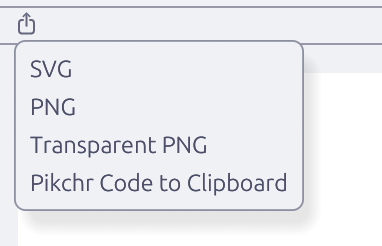
Rendered output may be exported as SVG, PNG, transparent PNG, or copied as generated source — to file or clipboard.
1 Source
Pikchr editor, Svgbob canvas, plain text fragments, named editors
1.12 Generation
Prolog DCG, Tcl, Ruby output to Pikchr or Svgbob
1.23 Composition
!!name!! includes raw source
$$name$$ includes generated output
4 Workspaces
Related editors, render windows, snippets, and experiments
1.45 Export
SVG, PNG, transparent PNG, generated source to file or clipboard
1.56 Revisions
Changes recorded between issue 1.0 and issue 1.1
1.6Operating Sequence
- Write. Create the diagram in Pikchr, or generate Pikchr when the structure is repetitive.
- Inspect. Keep the source and rendered diagram visible at the same time.
- Reuse. Move repeated shapes, labels, or layout fragments into named editors.
- Export. Produce an image or copy the generated source when the diagram is ready.
Specimens
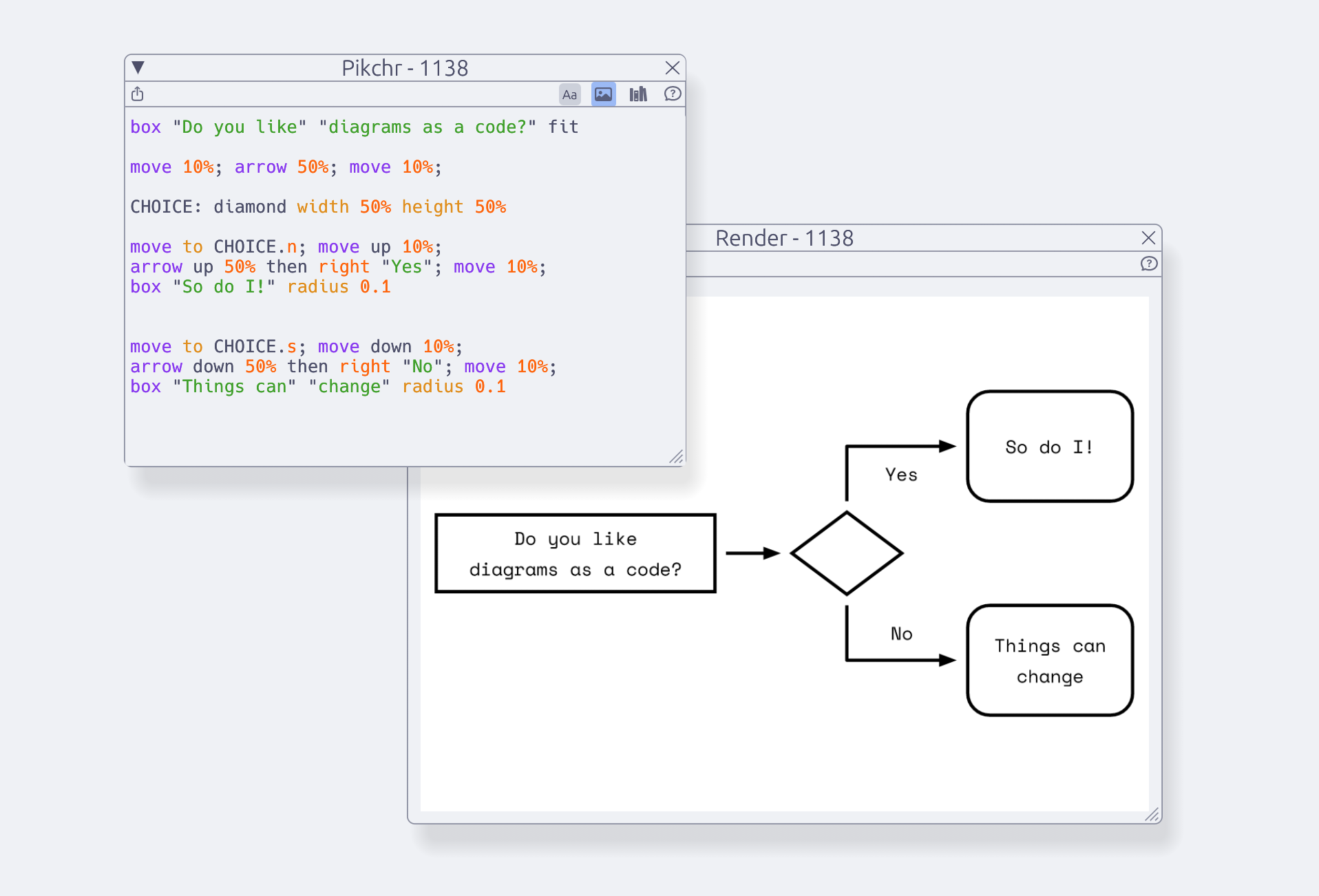
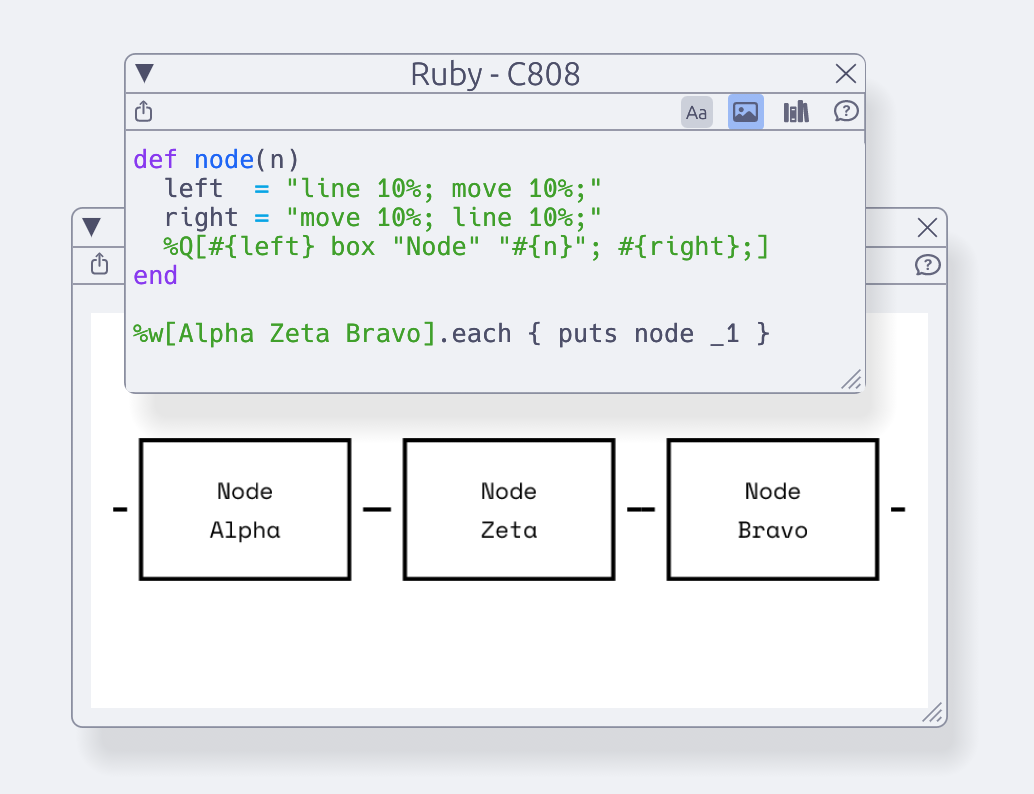
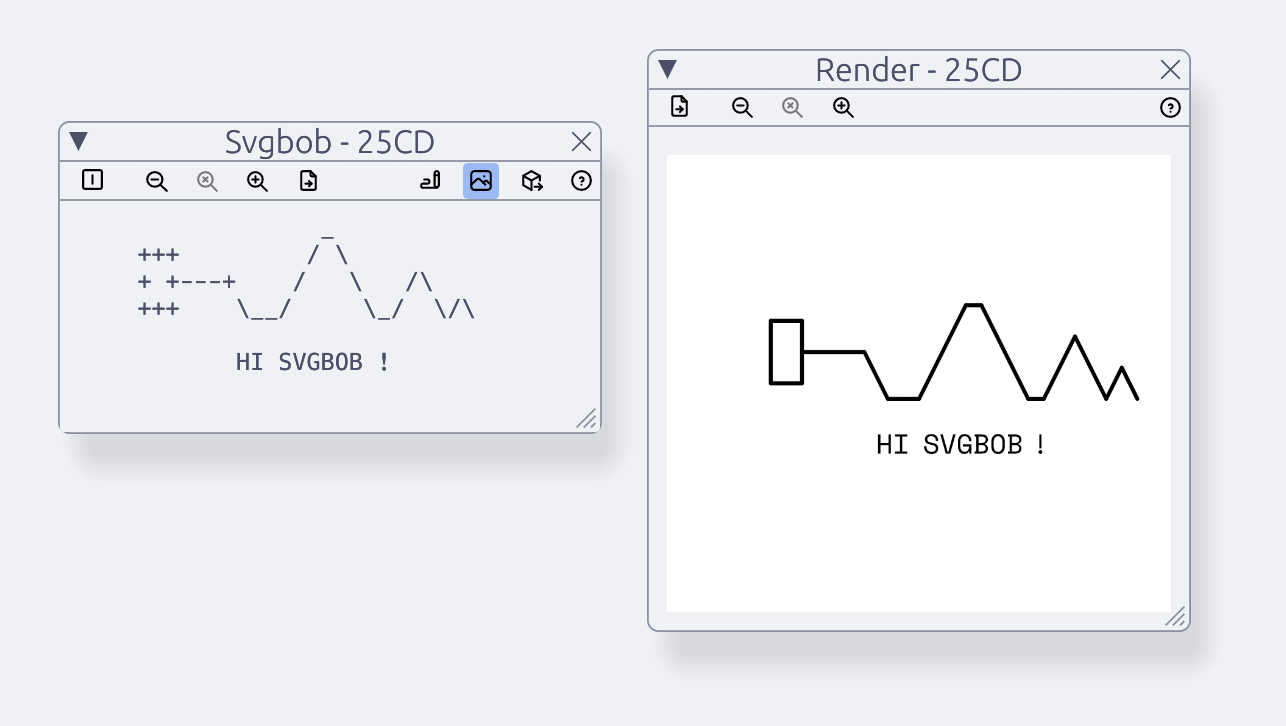
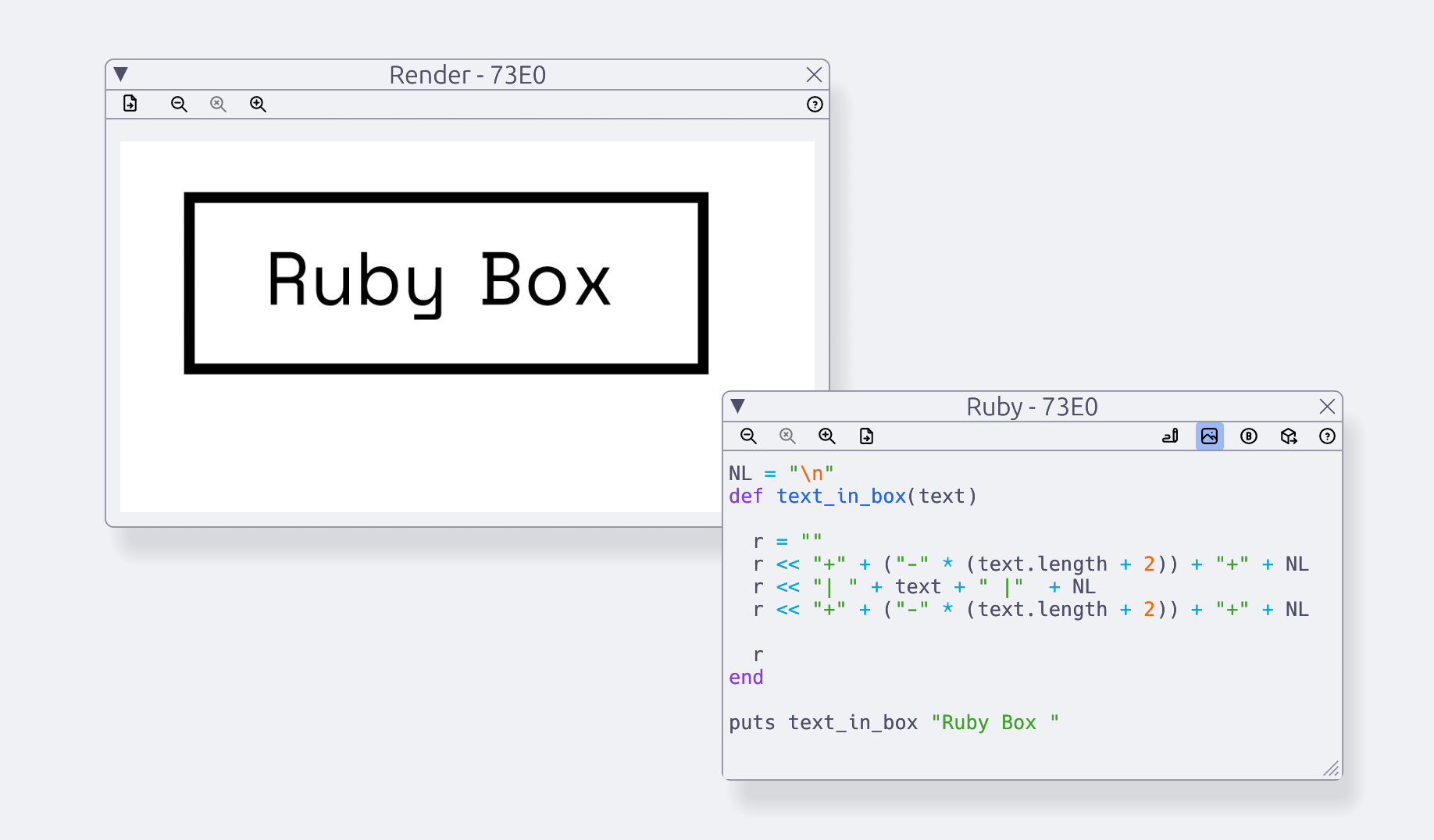
The examples below show the editor and rendered output as working windows. They are included as product specimens, not decorative illustrations.
- Pikchr may be written directly
- Svgbob may be drawn on a canvas
- Ruby may generate Pikchr or Svgbob
- Prolog may generate Pikchr
- TCL may generate Pikchr
Finished diagrams may be exported in several forms.
Revision Record
Changes recorded between issue 1.0 and issue 1.1 of the DiagramIDE workspace. Issue 1.1 introduces Svgbob as a second diagram language alongside Pikchr.
Added
- Per-editor output selection between Pikchr and Svgbob, with renderer switching.
- Dedicated Svgbob canvas editor with Insert and Replace modes, rectangle selection, and keyboard navigation.
- File and clipboard export for rendered images and generated source.
- Per-window zoom controls.
Changed
- Svgbob canvases stay unwrapped and keep the cursor within the viewport.
- Tabler icons, with output-type and edit-mode indicators.
- Help guide readability and documentation of editor and export behavior.
- Wasmtime and WASI updated to 46.0.2; measured interaction paths optimized.
Fixed
- Svgbob undo and redo history.
- Dropped render updates; render-window visibility synchronized with editor toggles.
- Column paste truncating canvas rows.
- RON compatibility, with safe recovery from incompatible persisted workspaces.
Security
- Dependencies updated to resolve RustSec vulnerabilities reported before the 1.1.0 release.
1.1